MD326 3D Modern Watch Face
Matteo Dini MD ® Watch FacesPersonalization
4.6239.00 Reviews
- Version
- Varies With Device
- Installs
- 50.00K
- Age Rating
- Everyone
Screenshots
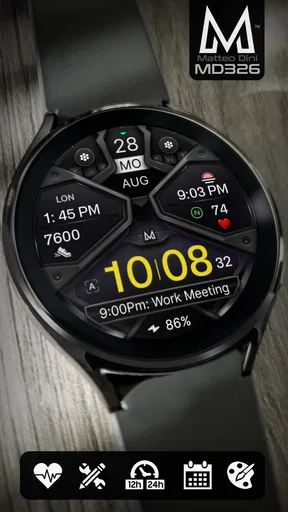
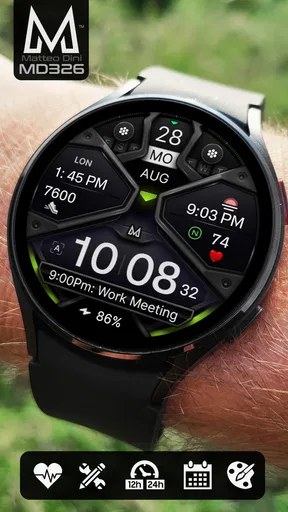
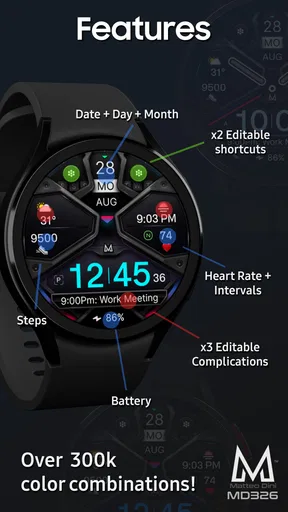
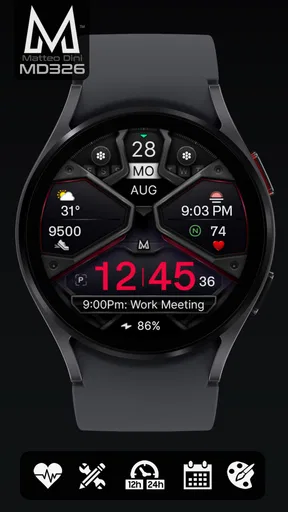
Our Review of MD326 3D Modern Watch Face
 Analysis by Appyee
Ever wanted to wear a watch face that not only tells time but also looks like a piece of modern art? Well, let me introduce you to the MD326 3D Modern Watch Face. I've been tinkering with it on my smartwatch for a while now, and I've got plenty to say about this sleek and stylish digital accessory.
Who will enjoy a digital-first look?
I’d recommend this face to someone who wants a more designed, information-rich screen than the plain time displays that often come with a watch. Its appeal is not just the 3D styling: it puts several everyday details on the wrist, so I can check the basics without opening another screen. The trade-off is that a detailed digital layout may feel busy if you prefer a traditional analogue face or want the time to be the only thing competing for attention.
That difference matters in ordinary use. On a commute, I might glance at the watch for the time, then use the same glance to check my step count or battery level. For a quick weather check before heading out, the face can be more convenient than switching to a separate app, provided the relevant information is available and up to date on the watch. I’d still open a dedicated weather app when I need more than a brief glance.
Getting past setup snags
MD326 is a Wear OS watch face, so the first practical check is whether the watch you want to use runs Wear OS. A watch that uses a different operating system is not a suitable match simply because it has a round screen or supports other custom faces. Checking compatibility before paying is the simplest way to avoid a frustrating install attempt.
If the face does not appear immediately after installation, I would first check that the watch and phone are connected as expected and give the installation and sync process a little time. Then I’d look through the watch’s face-selection screen rather than assuming the app icon on the phone is itself the finished watch face. The phone app and the face displayed on the watch have different roles, and finding the right selection point can be the part that catches new users out.
The face is listed at $1.99, so I’d make those compatibility and selection checks before treating a delayed appearance as a reason to purchase again. The app is rated for Everyone, but that age rating is not a substitute for checking whether the specific watch can run Wear OS faces.
A more deliberate way to customize
With a customizable face, I find it easier to make one change at a time rather than adjusting colors, layout, and other options all at once. That way, I can tell which choice improved readability and which one made the display harder to scan. I’d start with a color combination that stays clear in the lighting where I use the watch most, then adjust the remaining appearance options to suit it.
There is a useful trade-off between packing the screen with information and keeping it calm. If I’m checking details frequently, I’d keep the items I actually use easy to recognize; if I’m dressing for a more formal setting, I’d favor a restrained palette and a cleaner overall impression. Customization is most valuable when it solves a real readability or style problem, not when every available option is changed just because it is there.
First Impressions and Aesthetic Appeal
From the moment I installed the MD326 3D Modern Watch Face, I was struck by its sharp, contemporary design. It feels like a blend of futuristic and minimalist styles, and trust me, it’s a real head-turner. The 3D effect is subtle yet effective, giving the watch face a sense of depth that makes it stand out from your usual flat designs.
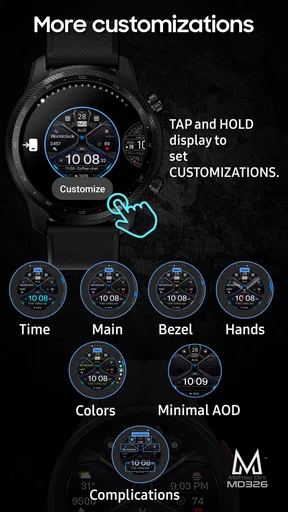
The color palette is customizable, which is a huge plus. Whether you’re in the mood for something bold or prefer a more muted look, you can tweak the settings to match your vibe. The use of contrasting colors for different elements enhances readability and adds to its modern charm.
User Interface and Functionality
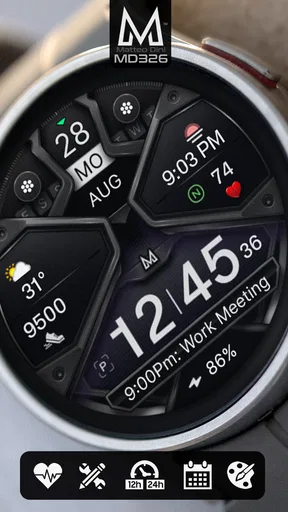
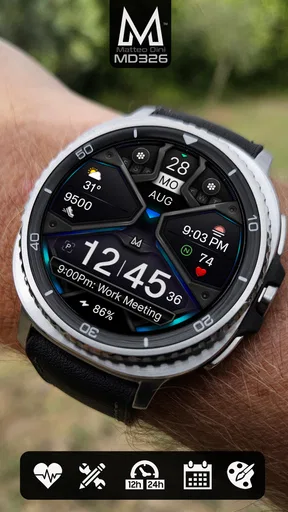
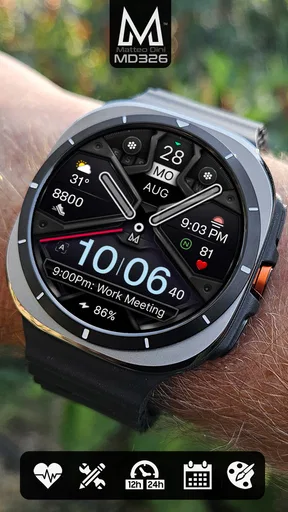
Let's talk about how user-friendly this watch face is. Navigating through its features is a breeze. The interface is intuitive, ensuring that even if you’re not tech-savvy, you’ll get the hang of it in no time. It’s designed to provide quick access to essential data. The display includes not just the time, but also a whole array of useful information like battery level, step count, and weather updates.
What I love most is the way these pieces of information are presented. They're neatly arranged, ensuring that everything is visible at a glance. The digital layout is perfect for those who love a clean and organized look.
Performance and Customization
Now, about performance. The watch face runs smoothly without draining your smartwatch battery excessively. That's always a concern with these visually appealing watch faces, but thankfully, MD326 has managed to maintain a balance between aesthetic appeal and performance efficiency.
Customization is another area where this watch face shines. You’re not just stuck with a single look. Want to change the font or adjust the brightness? Go ahead. The app provides ample options to tweak its appearance and functionality, allowing you to make it truly yours.
When a sync delay is not a design problem
If the face appears on the watch but some information seems stale, I would check the watch’s connection and the settings of the relevant data source before changing the design. A watch face can only display what the watch can provide, and connection interruptions or disabled data access can affect what appears. I’d also check whether the watch’s own battery-saving behavior is limiting background updates, especially if the display looks fine but details do not refresh as expected.
For troubleshooting, I’d keep the steps simple: confirm the watch is connected, reopen the face settings, and reselect the face if it has switched back to another design. If the problem persists, restarting the watch and phone is a reasonable general check before reinstalling anything. I would avoid repeatedly uninstalling and buying the face again; first establish whether the issue is installation, selection, connection, or the information source itself.
How it fits among watch-face alternatives
Compared with the default faces that prioritize simplicity, this one makes a stronger visual statement and brings useful details together on the display. That is a good fit if I want a personalized digital look and quick access to things such as steps and battery status. A default face is still the better choice when I value a familiar layout, need the least possible setup, or prefer not to spend time tuning colors and appearance.
It also occupies a different niche from a dedicated complication or utility app. Those can be better when I need to explore a particular piece of information in depth; a watch face is for quick checks, not a replacement for every app on the watch. I’d choose MD326 for the combination of a modern visual style and at-a-glance details, rather than expecting it to provide the depth of a standalone weather or fitness tool.
Who should skip it?
I would skip it if my watch does not run Wear OS, if I strongly prefer an analogue design, or if I want a face that needs no decisions about color and layout. It may also be a poor fit if the extra details make my screen feel crowded, even when they are neatly arranged. A face can be attractive and still be wrong for the way someone reads a watch; checking whether the digital information is comfortable to scan is more important than choosing a style that looks impressive in a preview.
Matteo Dini MD ® Watch Faces is the developer, and the app has an average rating of 4.4 from around 1.2 thousand ratings, with more than 10 thousand installs. Those figures suggest that it has found an audience, but I would treat them as context rather than a guarantee that it will suit my particular watch or taste. For a paid personalization app, the sensible decision is to match the face to both the device and the way I actually use it.
Final Thoughts
In conclusion, the MD326 3D Modern Watch Face is more than just a time-telling device. It’s a statement piece that combines functionality with modern design. Whether you're into tech or just want a cool watch face to show off, this app has something for everyone. With its customizable features, sleek design, and efficient performance, it’s definitely worth a try. So, if you’re looking to spice up your smartwatch, give this one a go. It might just become your new favorite!
Verdict
Strengths of MD326 3D Modern Watch Face
- Highly customizable interface options.
- Smooth and responsive animations.
- Low battery consumption.
- Supports multiple time zones.
- Compatible with a wide range of devices.
Limitations of MD326 3D Modern Watch Face
- Limited free features available.
- Occasional sync issues with some devices.
- Requires frequent updates.
- Complex setup for beginners.
- Ads can be intrusive in free version.
Other Releases by Matteo Dini MD ® Watch Faces
View All
MD242 Hybrid watch face
Personalization4.5

MD307 Digital watch face
Personalization4.4

MD170B Digital watch face
Personalization4.6

MD338 Hybrid watch face
Personalization4.6
Similar Picks in This Category
View All
Microsoft SwiftKey AI Keyboard
SwiftKey4.3

Wallpapers
Google LLC4.1

Zedge™ Wallpapers & Ringtones
Zedge4.7

Yandex Browser with Alice AI
Direct Cursus Computer Systems Trading LLC4.3

Ringtone Maker:create ringtone
Big Bang Inc.4.7

Fonts Keyboard
Fonts Keyboard3.9
Frequently Asked Questions
What features does the MD326 3D Modern Watch Face offer?
The MD326 3D Modern Watch Face provides a dynamic 3D design that enhances the aesthetics of your smartwatch. It includes customizable features such as color themes, ambient modes, and interactive complications. Users can also access essential information like weather updates, step count, and battery life directly from the watch face.
Is the MD326 3D Modern Watch Face compatible with all smartwatches?
The MD326 3D Modern Watch Face is designed for smartwatches running Wear OS by Google. Before downloading, ensure your device supports this operating system to enjoy full compatibility. Unfortunately, it is not available for watches running other operating systems like Tizen or Apple WatchOS.
How do I customize the MD326 3D Modern Watch Face settings?
Customization is straightforward with the MD326 3D Modern Watch Face. After installation, press and hold your watch face to enter the customization menu. From there, you can adjust color themes, complications, and other settings to suit your preferences, allowing for a personalized experience.
Does the MD326 3D Modern Watch Face affect battery life?
While the MD326 3D Modern Watch Face is optimized for performance, its 3D animations and interactive features may consume more battery compared to simpler watch faces. Users can manage battery usage by adjusting settings such as brightness and disabling certain features when not needed.
Is there a cost associated with downloading the MD326 3D Modern Watch Face?
The MD326 3D Modern Watch Face may be available as a free download with optional in-app purchases for premium features. Check the app store for the latest pricing details. This allows users to test basic features before deciding to invest in additional functionalities.
